Product Design • UX • UI

ProtoSpace

img

In 12 weeks' time, from brainstorming ideas for a full-stack web application, my team and I always knew we had to answer a need.

My team, Phat Nguyen (UI/UX designer), Angeline Espiritu (UI/UX designer), Aleksei Orlov (Full-stack developer), Debora Correia (Front-end developer), Gabriel Cordero (Back-end developer), Siuly Tamez (Back-end developer) and I as a lead UX/UI designer are grateful for the enthusiasm received by "Protospace" during our presentation at Langara College. Rest assured we remain committed to filling the missing tool in accelerating research workflow in post-secondary science education.

<span data-metadata=""><span data-buffer="">The Problem

When one of our founders was a Biology undergrad, she was frustrated about having to juggle multiple papers and files to get through an experiment.

Similarly, educators and students at Langara College face research workflow inefficiencies. These include: Disorganized protocols, Difficulty in following experiments and Unnecessary mistakes and rework

The Solution<span data-metadata="">

Protospace is a web platform that helps educators and students accelerate research workflow by creating, sharing, and running protocols in a single place.

<span data-metadata=""><span data-buffer="">Features:

img
img
img
img
Protospace was based on the needs of the Biology department at Langara College. Our findings have influenced the design of the app, as follows:

• Students need to learn how to follow methods.

• Students need flexibility in redoing a step.

• Students take notes to retrace mistakes and physical labels.

• Paper is being used for protocols and results.

• Educators need to duplicate and edit existing protocols.

• Most undergraduate research protocols have a similar structure.

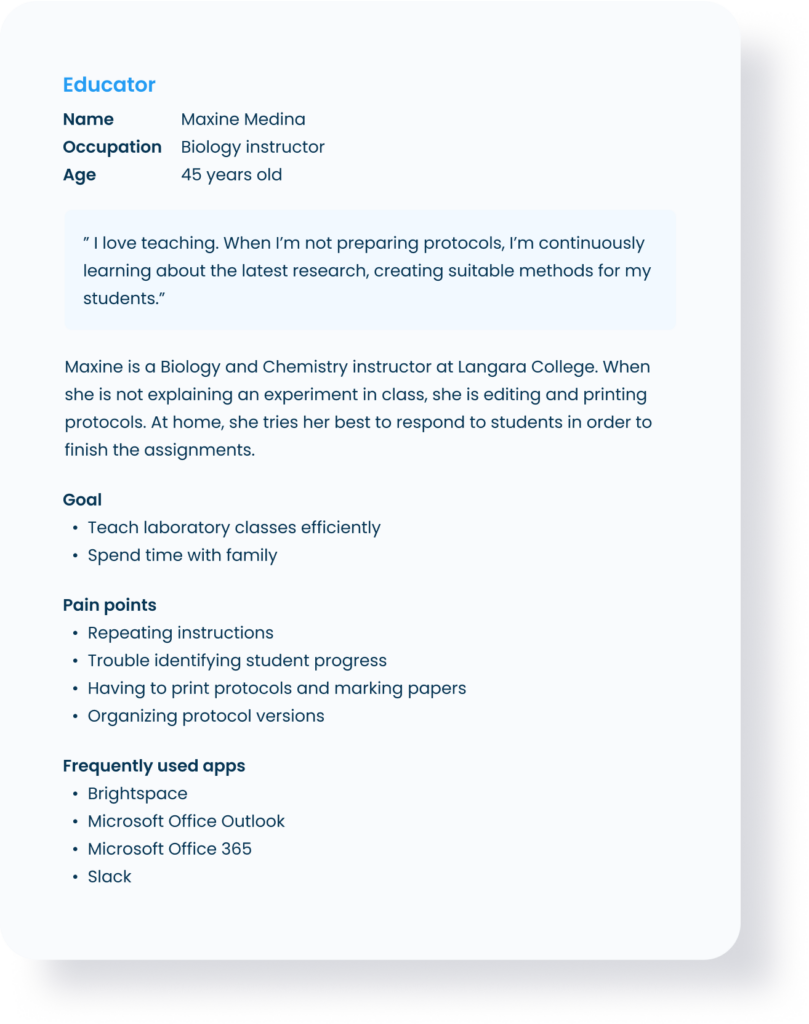
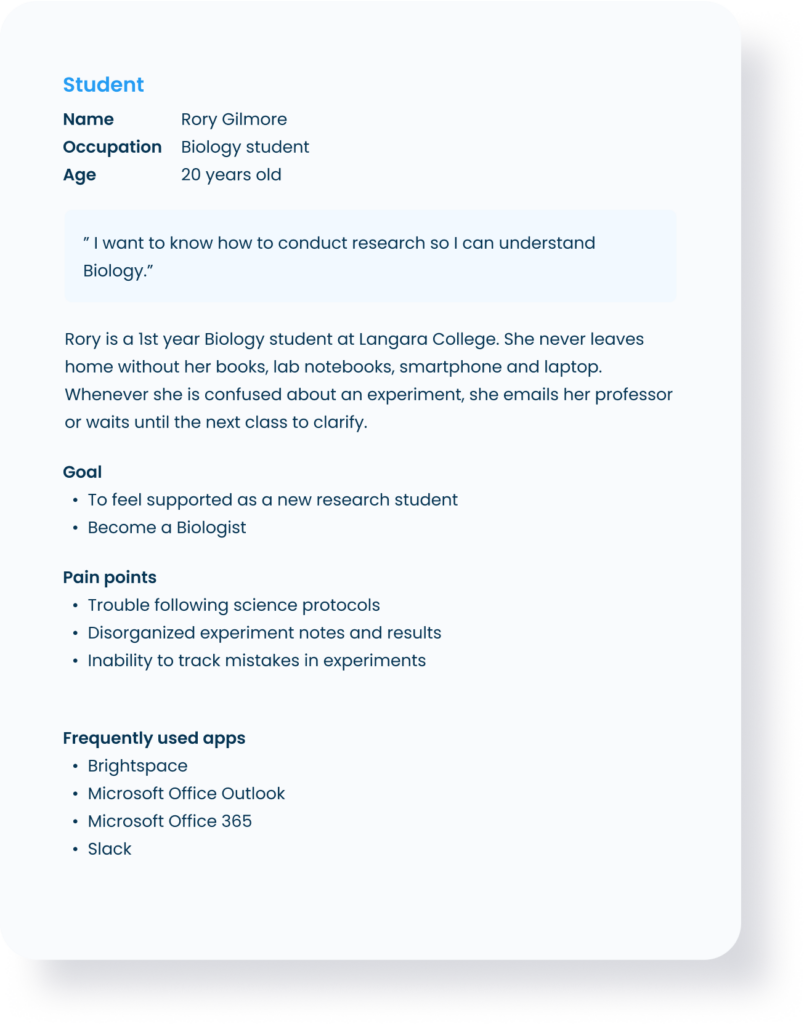
<span data-metadata=""><span data-buffer="">User Persona

img
mg

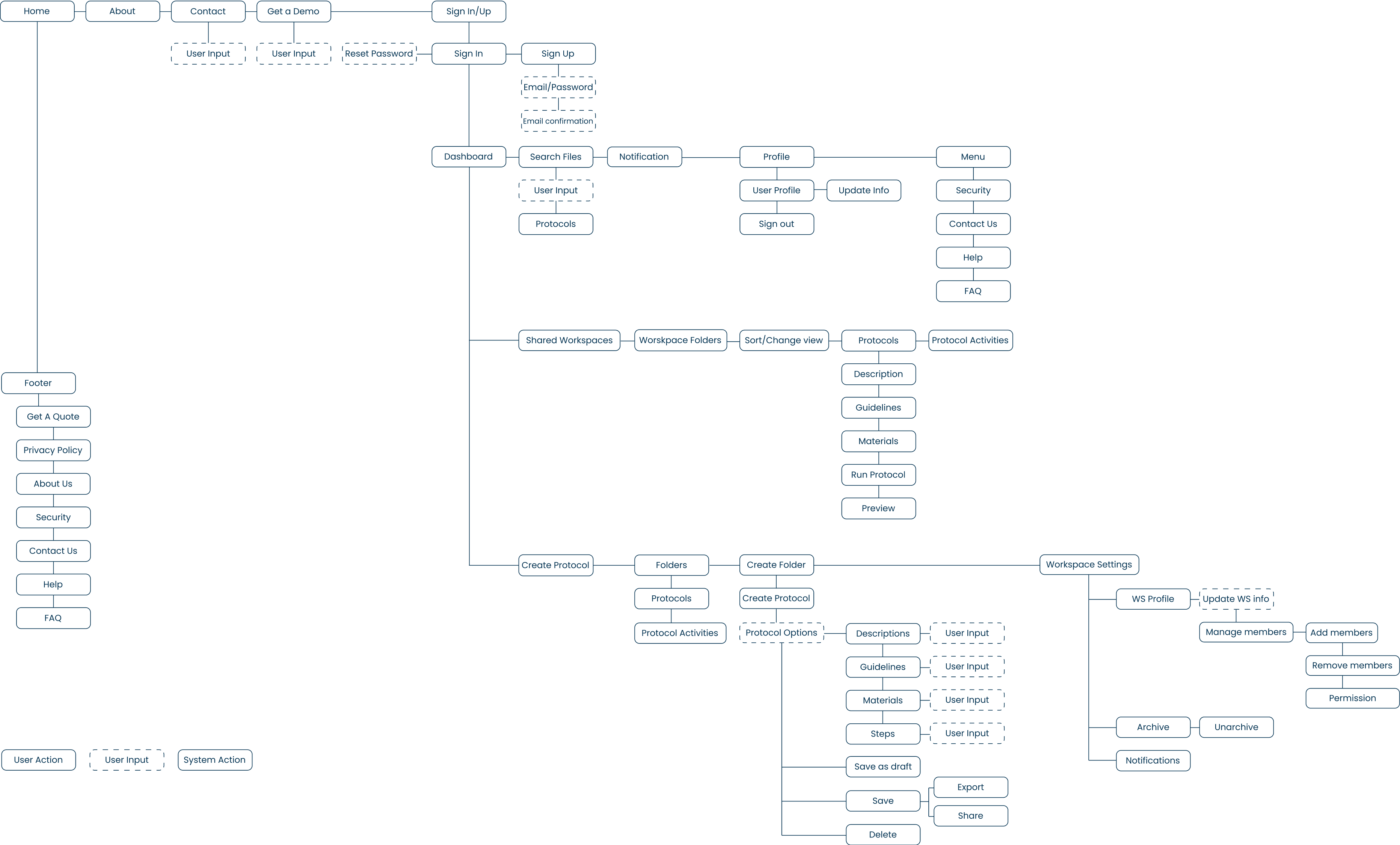
<span data-metadata=""><span data-buffer="">User Flow

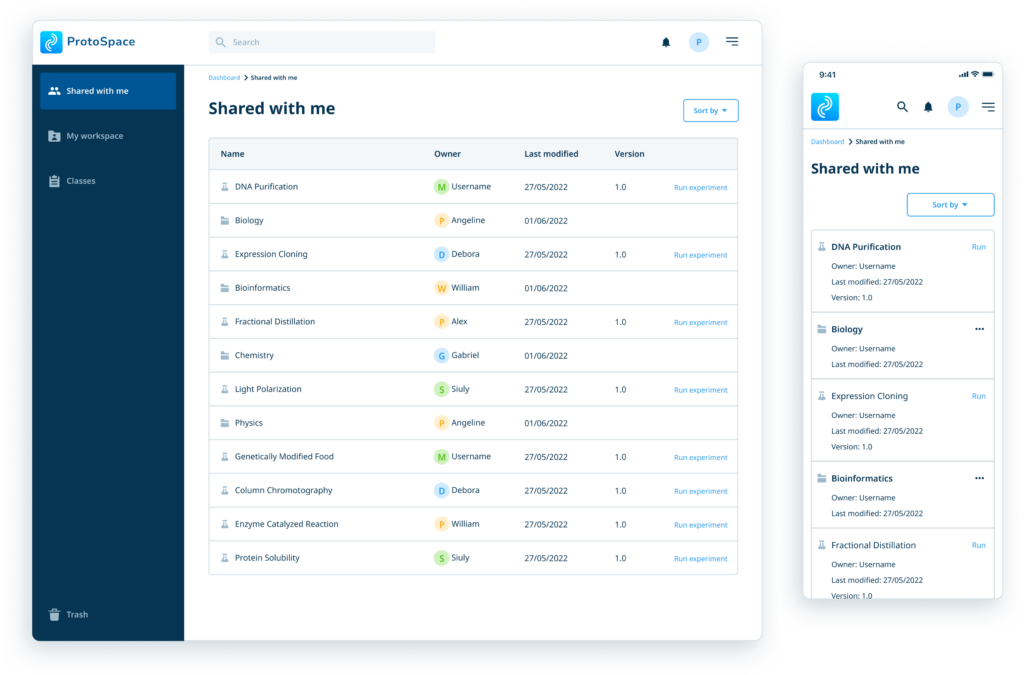
<span data-metadata=""><span data-buffer="">Dashboard

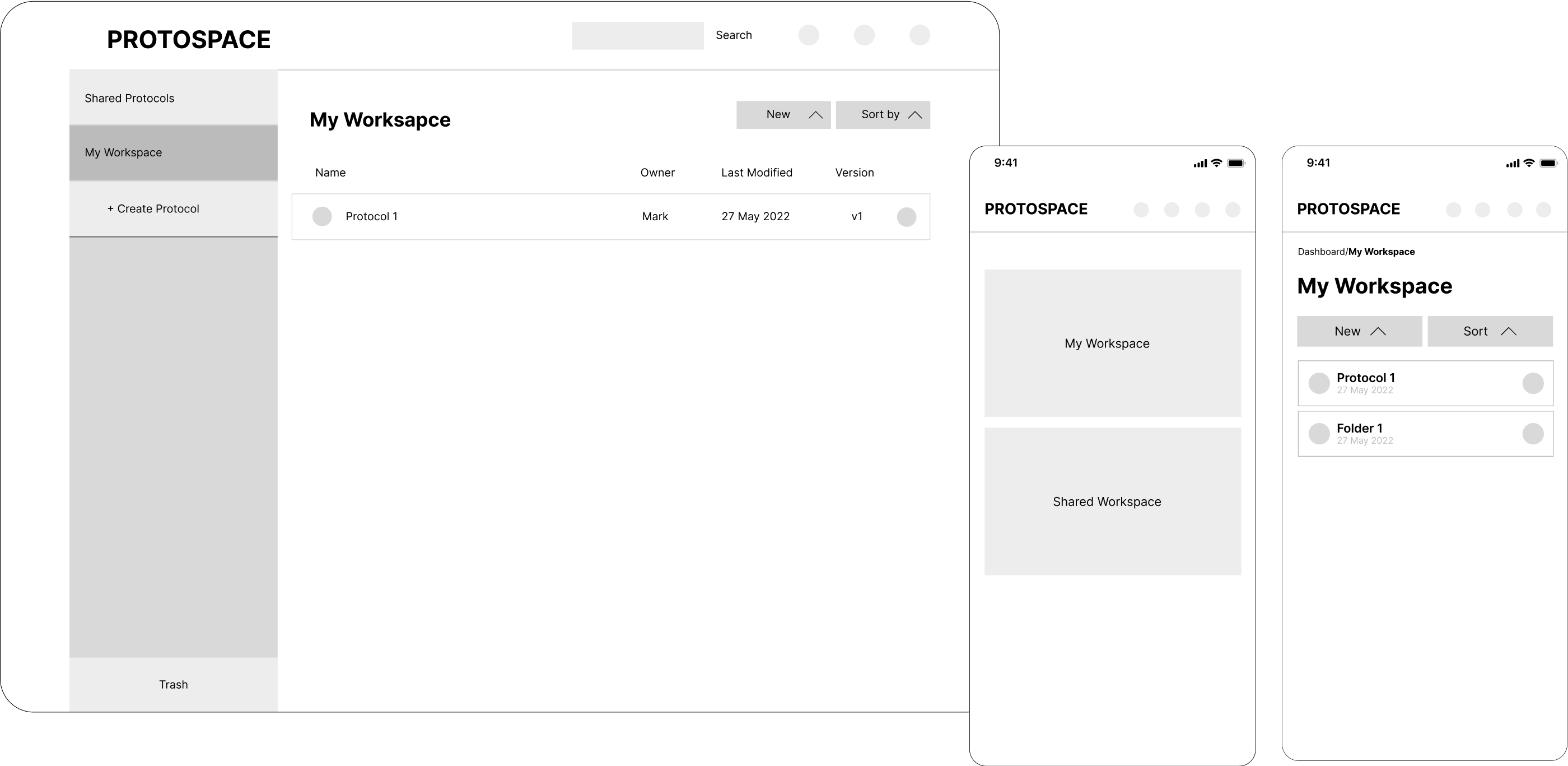
A dashboard containing an overview of important workspace updates and status at a glance. It also serves as an all-in-one access to key features including updating a protocol, running a protocol, and progress view.

img

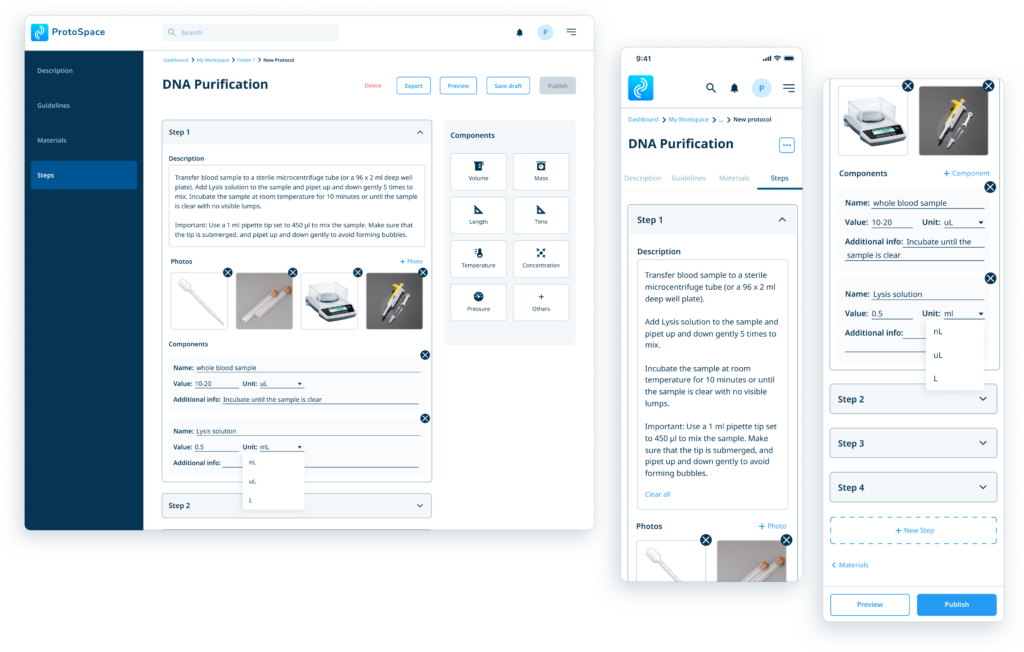
<span data-buffer="">Create protocol<span data-metadata="">

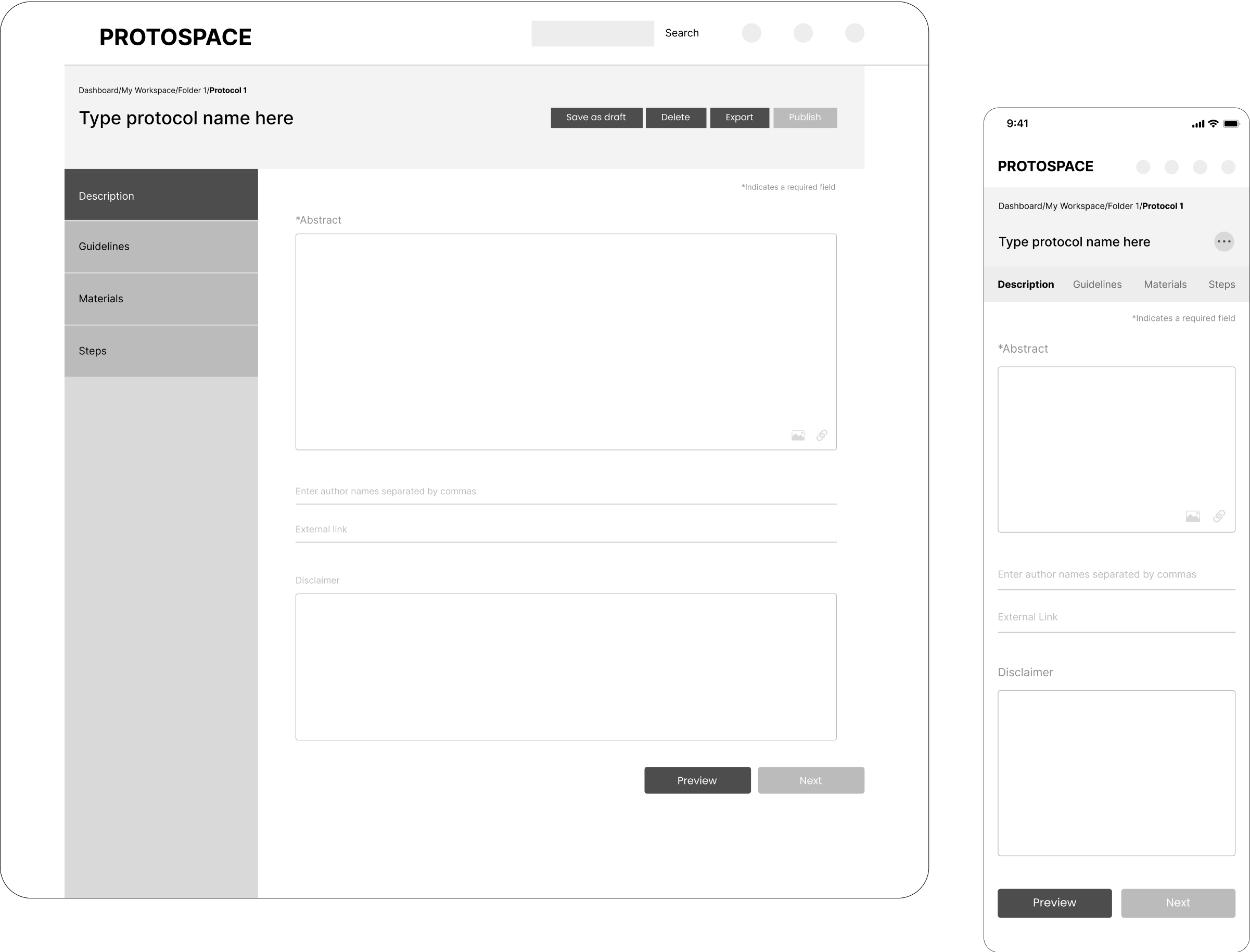
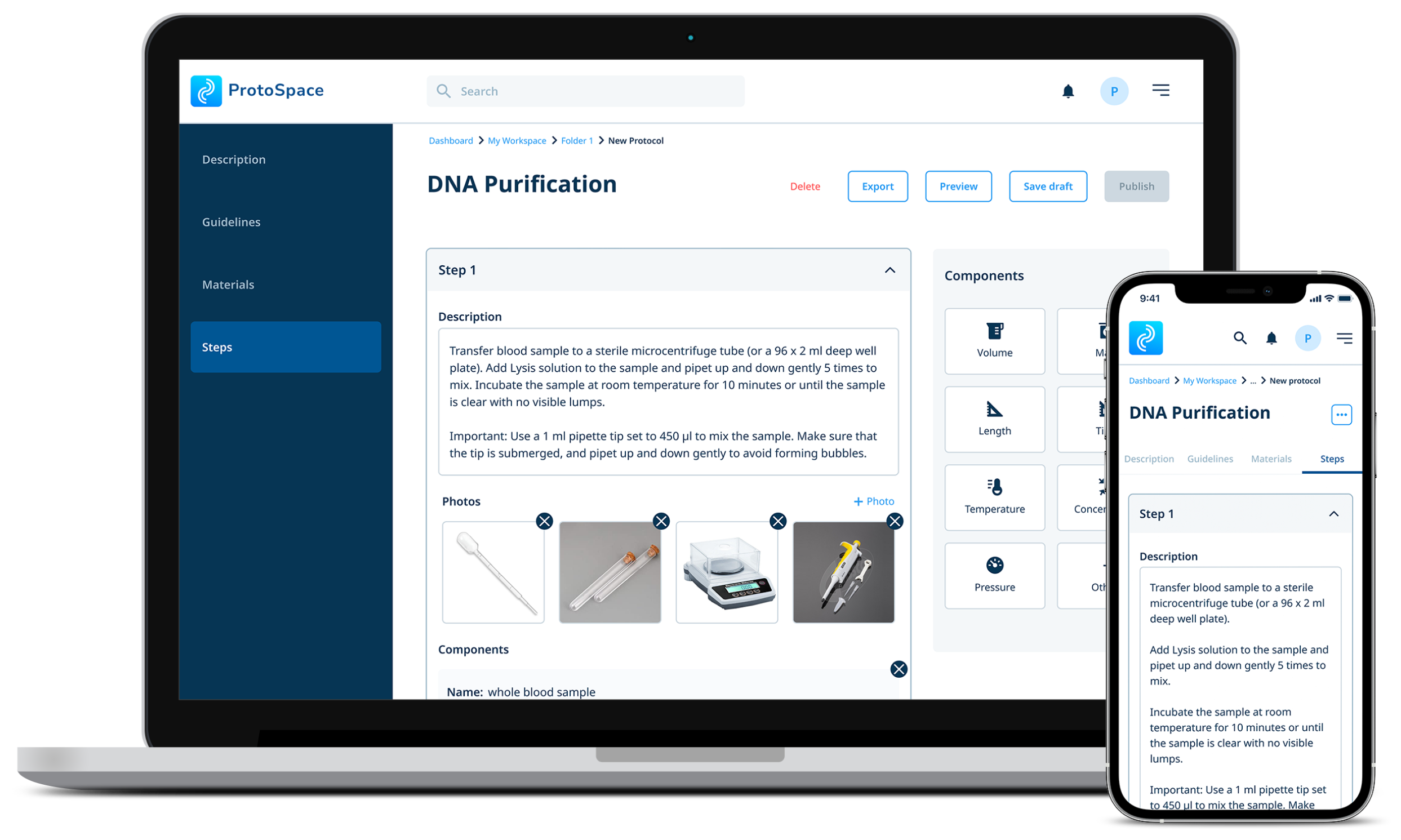
Writing a protocol can be daunting. An accordion allows users to understand the structure before focusing on filling in the details. User can input text instructions, upload images, and use components for better accuracy.

img

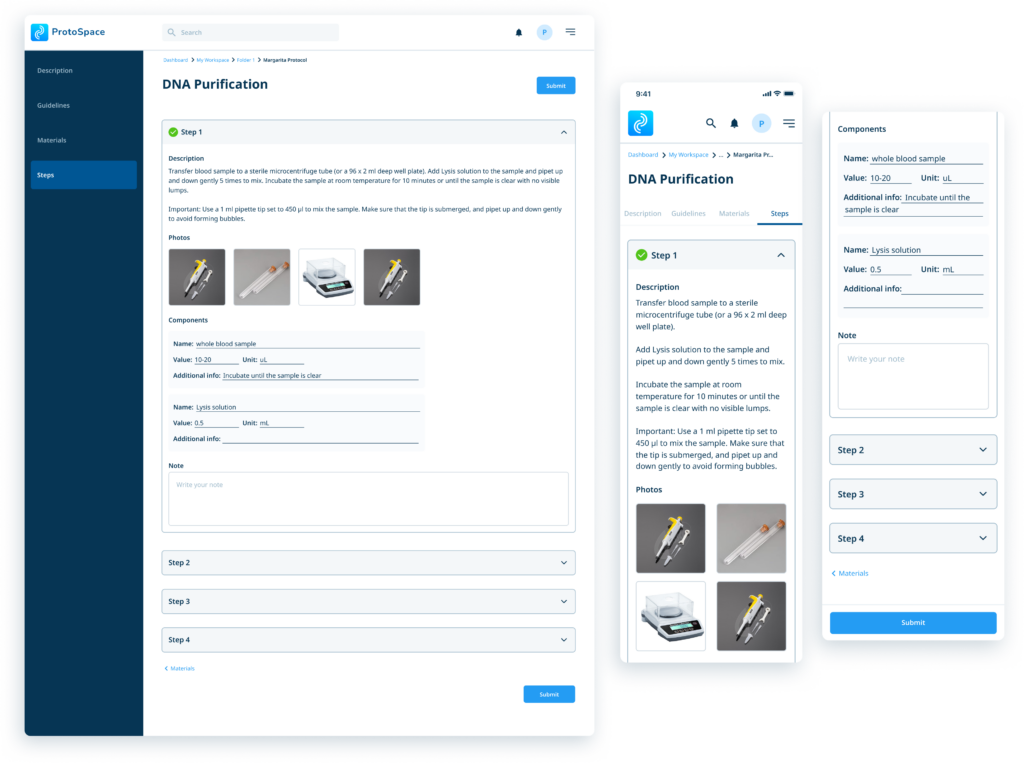
<span data-buffer="">Run protocol<span data-metadata="">

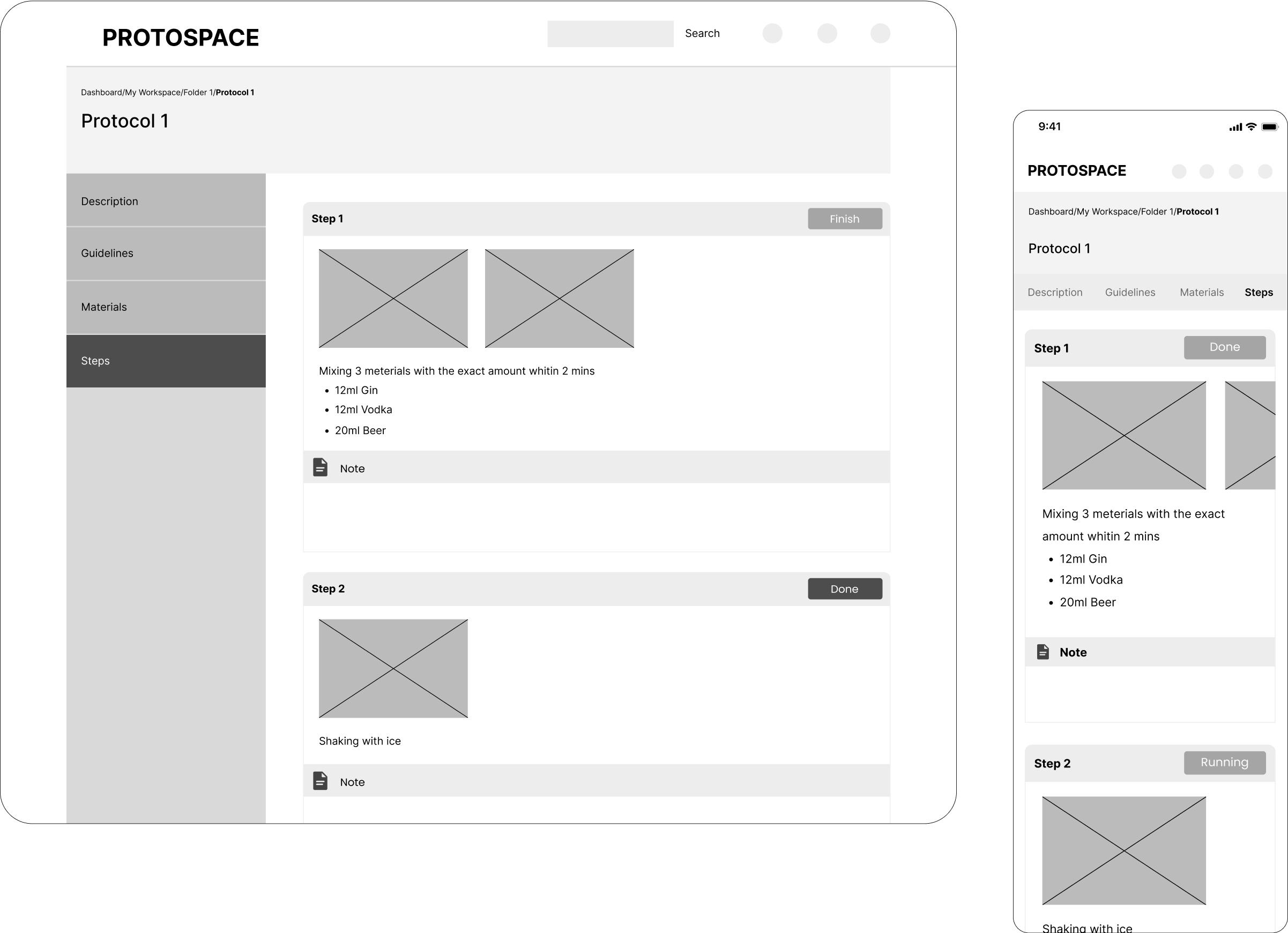
To prepare for the experiment, the user views the summary and agrees to guidelines that ensure safety. Since experiment documentation is crucial, the user can write notes within each step. Data can then be easily manipulated by exporting results.

img

Data visualization<span data-buffer="">

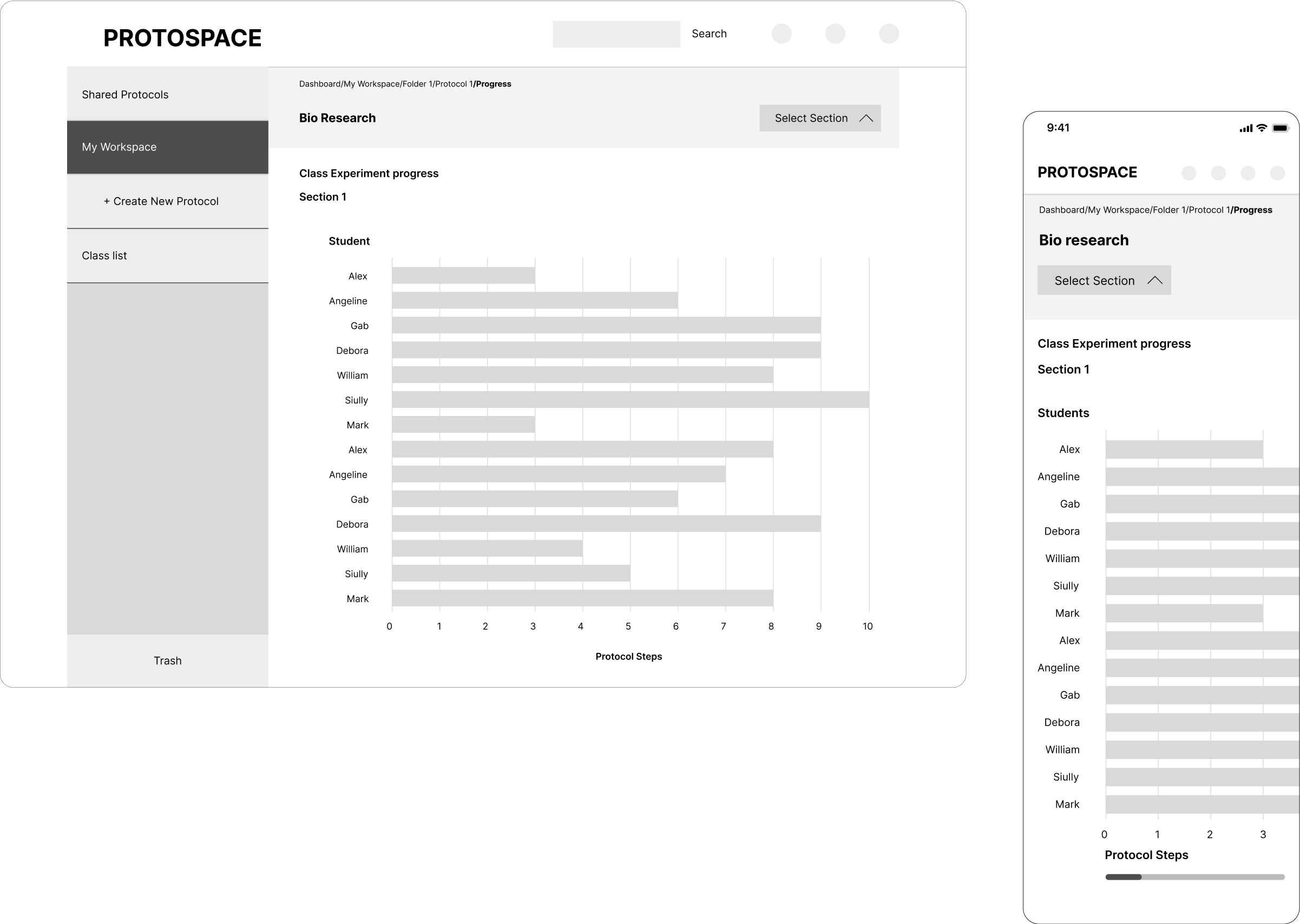
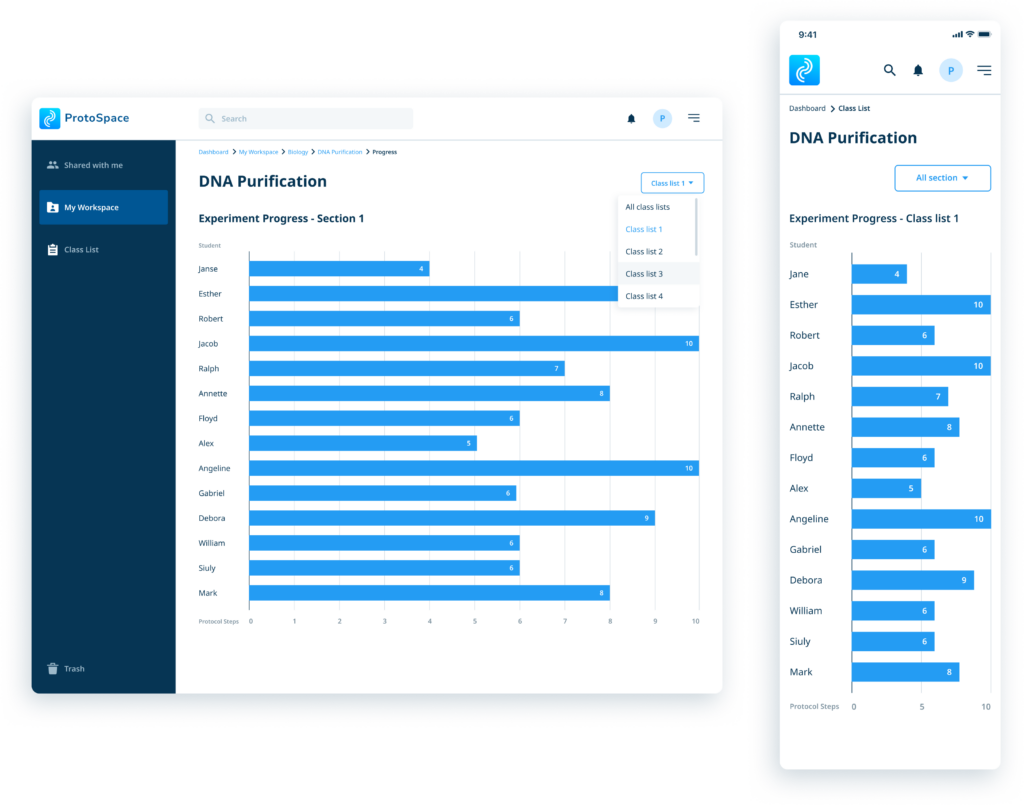
Because the purpose of data visualization is to translate large data into a visual context to aid in decision-making, our Experiment Protocol Progress view allows educators to get a real-time insight of student performance in an experiment. This helps in making adjustments to protocols, confirming knowledge, and focusing teaching in specific areas.
These patterns also help Protospace in paying attention to areas of improvement in design and development. A smoother protocol creation leads to better research workflow, and thus increasing usage.
img

UI Final Design

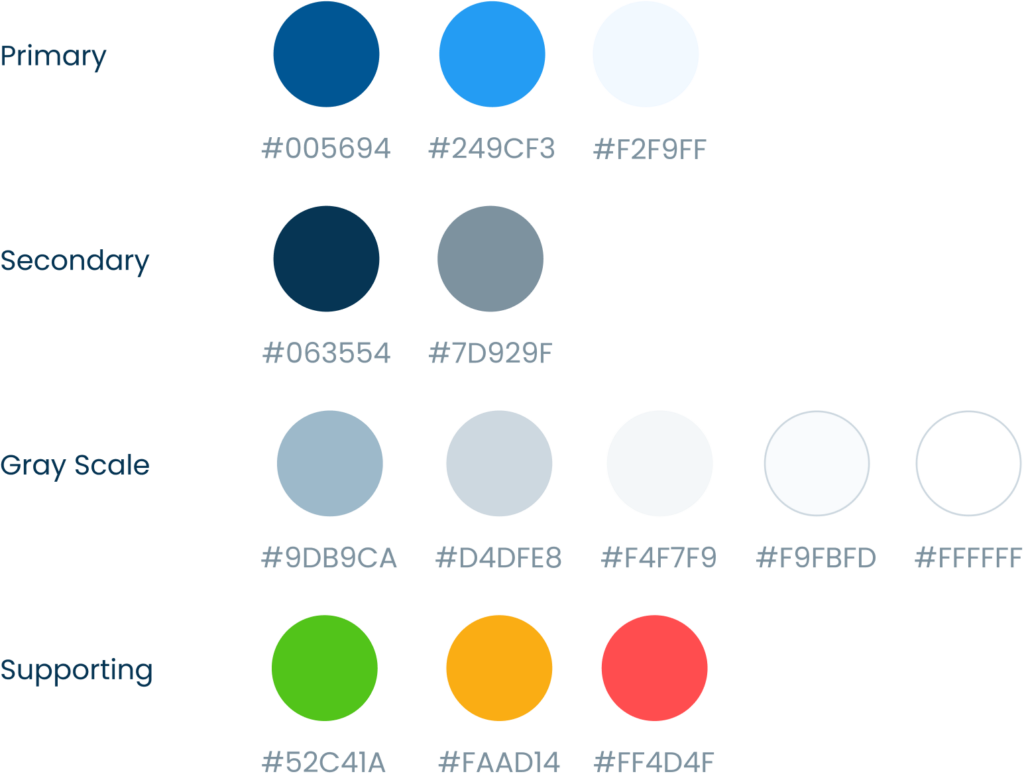
Colours

img

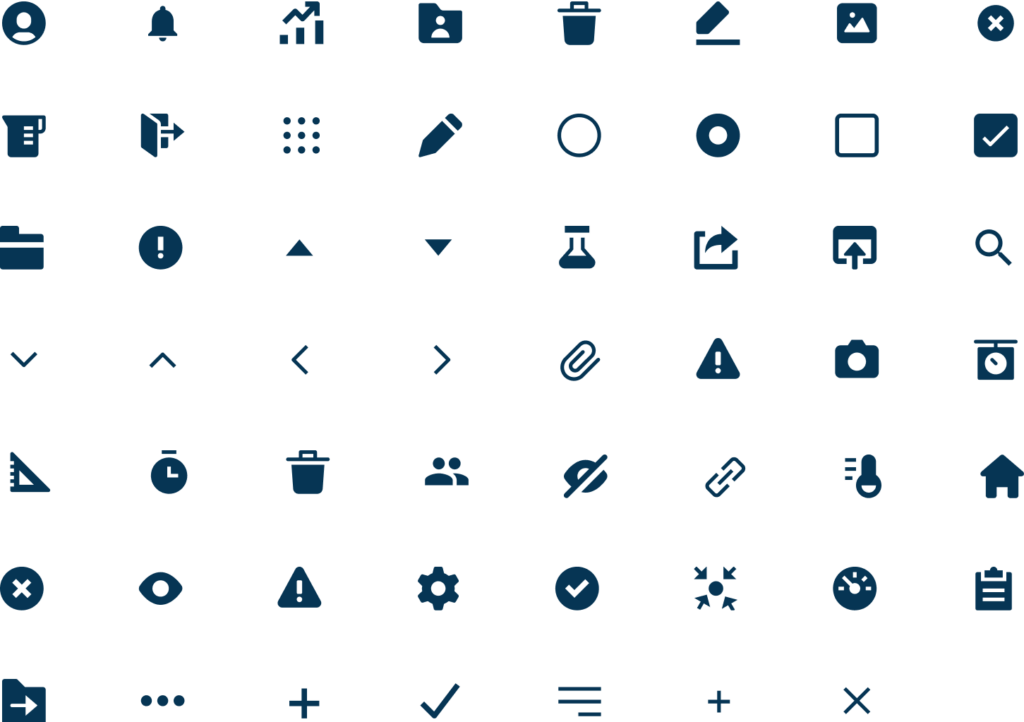
Icons

img

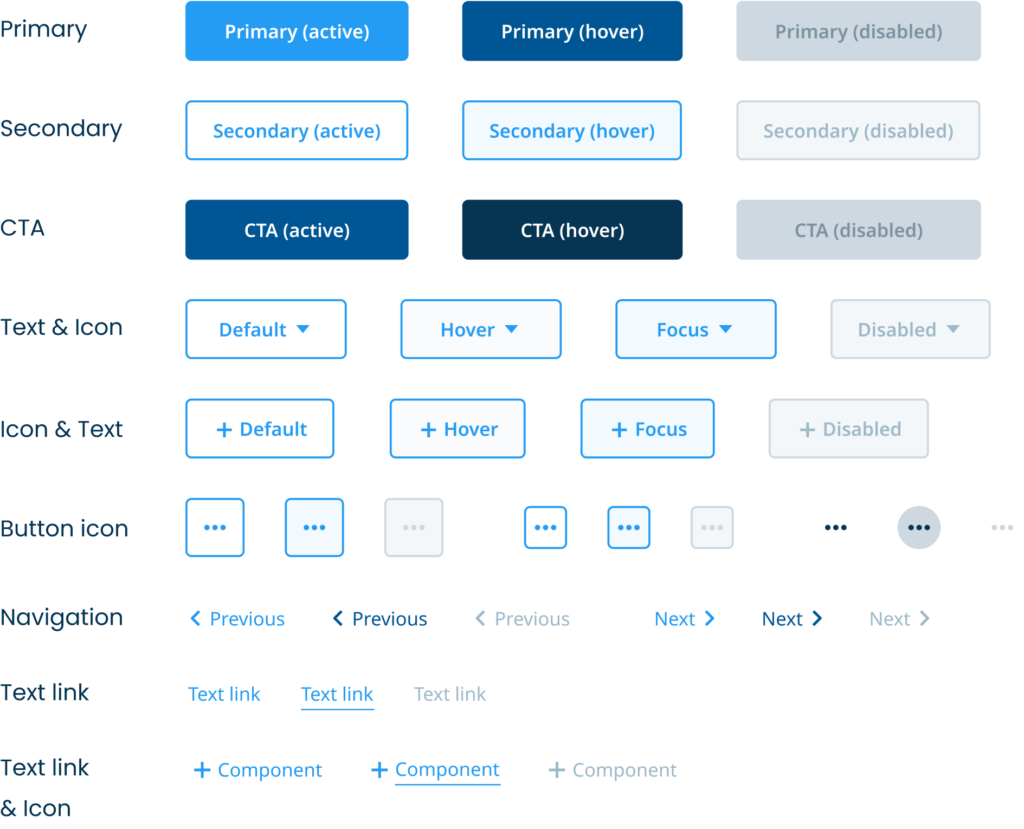
Buttons

img

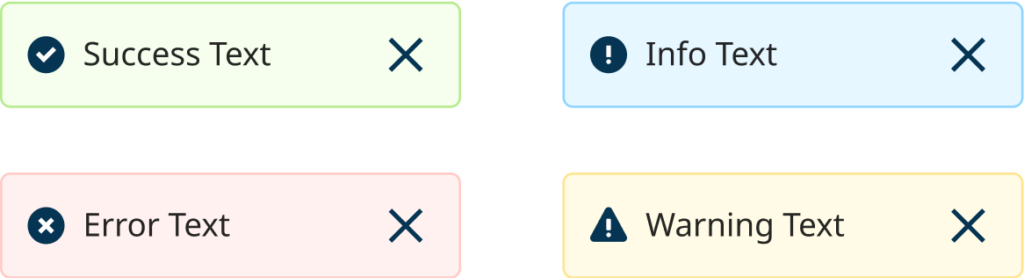
Alerts

img

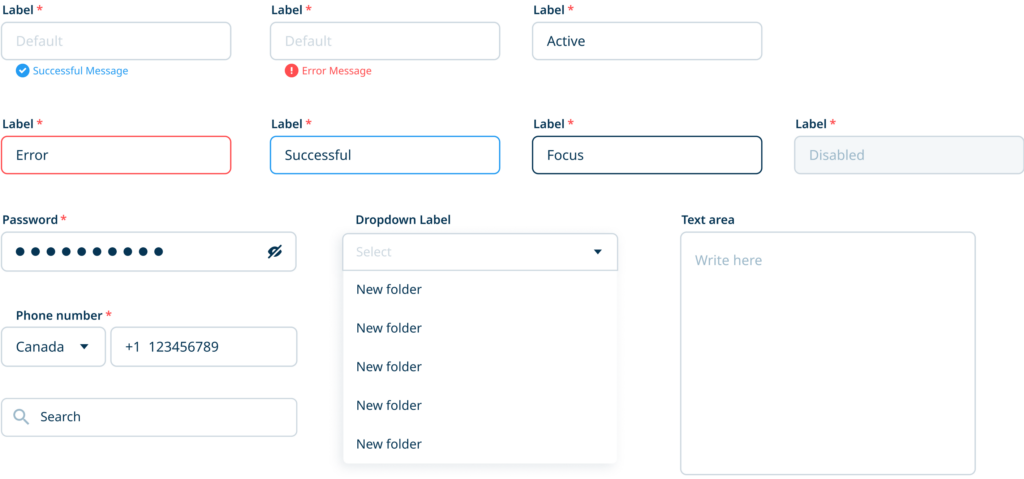
Input fields

img

Dashboard

img

<span data-metadata=""><span data-buffer="">Create Protocol

img

<span data-metadata=""><span data-buffer="">Run Protocol

img

<span data-buffer="">Data Visualization<span data-metadata="">

img